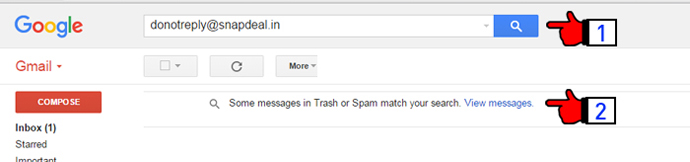
- Search for the e-mail ID donotreply@snapdeal.in in your mail search bar.
- You will see a pop-up message with the text "Some messages in Trash or Spam match your search. View messages." Click on the highlighted words "view messages".
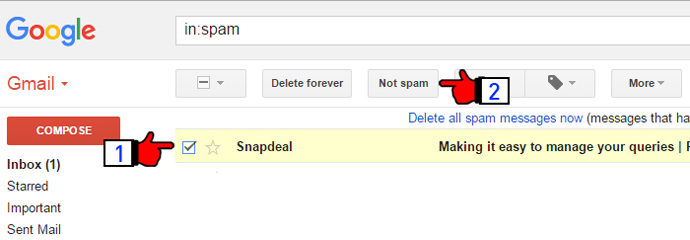
- Select any one mail from Snapdeal.
- And click on the "Not spam" tab as shown in the image below.
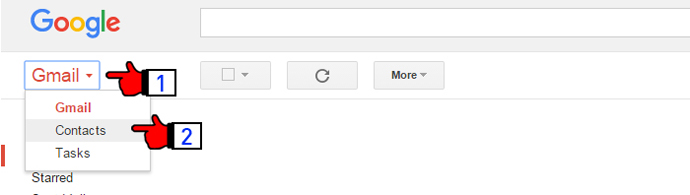
1) Click on Gmail and select "Contacts" option.
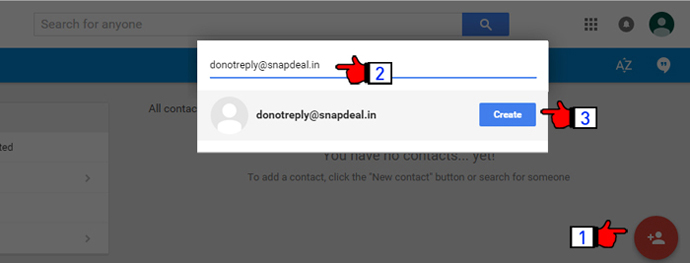
1. Click on the add contact icon button at the bottom right corner.
2. Type the email ID donotreply@snapdeal.in and click on the "create" tab.
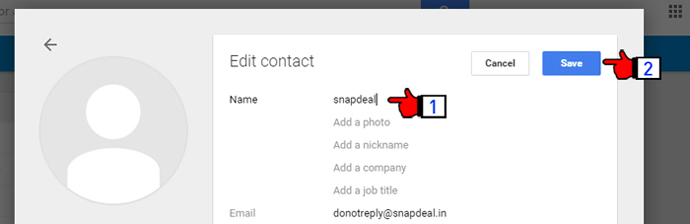
1) In the edit contact section, type the name of the contact as Snapdeal.
2) And click on the save button.